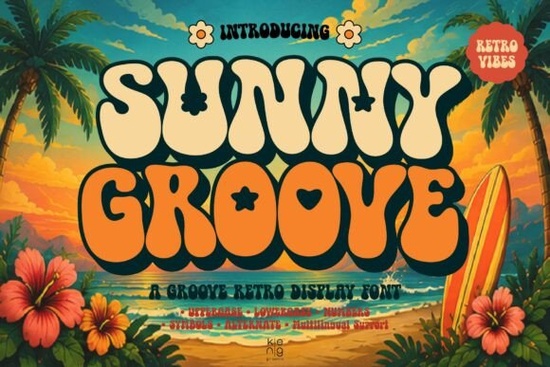
If you’re looking for a font that feels like sunshine in type form, Sunny Groove Font might be exactly what your next project needs. It’s got that 70s groove bold curves, playful letterforms, and little decorative surprises like flowers, hearts, and stars tucked into alternate characters. Whether you’re designing t-shirts, social media posts, packaging, or event posters, this display font adds warmth and personality without trying too hard.
What kind of projects is Sunny Groove best for?
This isn’t a font you’d use for body text or formal documents. It’s meant to stand out think logos for boutique brands, summer festival flyers, retro-themed product labels, or Instagram quote graphics. If your design calls for something fun, nostalgic, and full of character, Sunny Groove fits right in. Crafters using Cricut or Silhouette machines love it for vinyl decals and greeting cards. Print-on-demand sellers find it works well on mugs, tote bags, and kids’ apparel because the shapes are clear and the alternates give you room to customize.
How many characters and features does it include?
You get the full set: uppercase and lowercase letters, numbers, punctuation, and multilingual support for common Western European languages. The real charm is in the alternates each letter has at least one stylistic variation, some with those little floral or star-shaped embellishments. You don’t need fancy software to access them either; most design apps (like Canva, Adobe Illustrator, or Affinity Designer) let you toggle OpenType features or manually swap glyphs from a character map.
Can I pair it with other fonts?
Absolutely. Because Sunny Groove is so expressive on its own, pairing it with a clean, simple sans-serif keeps your design balanced. Try something minimal like Rancher Capital for contrast its strong, straightforward lines won’t compete with Sunny Groove’s curves. For a more eclectic retro look, layer it with Notre, which has a hand-drawn, vintage poster vibe. Or if you’re building a whole retro toolkit, check out the Retro Vintage Fun Collection it bundles several complementary styles in one download.
Is it beginner-friendly?
Yes. Even if you’ve never used OpenType features before, you can still make great designs by sticking to the default characters. The alternates are there if you want to dig deeper, but they’re not required. Installation is standard unzip the file, install the .OTF or .TTF, and you’re ready to go. No plugins or special tools needed.
What if I want something similar but different?
If Sunny Groove feels a little too “flower power” for your taste, try Sweet Stitch. It’s got a handmade, crafty feel with soft edges and cozy texture perfect for baby brands, bakeries, or cottagecore themes. Both fonts share that friendly, approachable energy, but Sweet Stitch leans sweeter and cozier, while Sunny Groove leans bolder and groovier.
Any tips for getting the most out of this font?
- Use sparingly. One or two words in Sunny Groove can carry a whole design. Don’t overwhelm your layout by using it for long sentences.
- Play with color. This font shines in warm tones mustard yellow, burnt orange, avocado green but also pops against dark backgrounds.
- Mix alternates manually. Don’t rely on automatic stylistic sets. Pick and choose which decorated letters to use so your word doesn’t look too busy.
- Add space. Give the letters room to breathe. Tight kerning can make the flourishes clash.
Where can I see it in action?
Browse Creative Fabrica’s gallery search for “Sunny Groove Font” and filter by “projects” to see how other designers have used it. You’ll find everything from coffee shop menus to skate brand logos. Seeing real examples helps you visualize how it might work for your own idea.
Whether you’re refreshing your Etsy shop’s branding, making birthday invites, or designing merch for a local band, Sunny Groove brings a smile without needing extra graphics. It’s the kind of font that makes people pause and say, “I love that!” which is exactly what you want when you’re trying to stand out.
Quick checklist before you start:
- Download and install both OTF and TTF versions (just in case your software prefers one over the other).
- Open your design app and test a few words with default characters first.
- Then open the glyph panel and experiment with alternates especially on key letters like A, R, S, or Y.
- Save your favorite combinations as text styles or presets for reuse.
- Export at high resolution if you’re printing those little details matter up close.
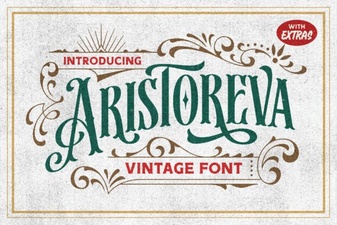 Aristoreva Font: Elegant Typography for Creative Projects
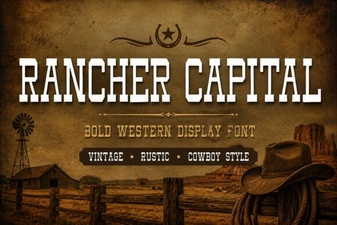 Rancher Capital Font for Western Design Projects
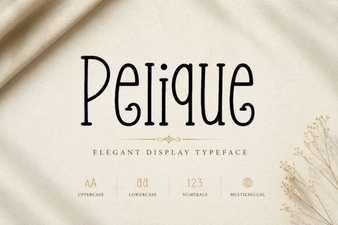 Pelique Font: a Creative Typeface for Modern Designs
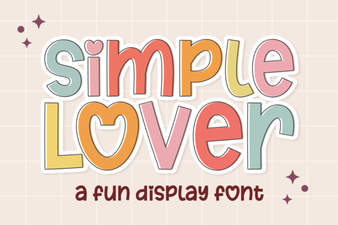 Simple Lover Font: Handcrafted and Romantic Styles
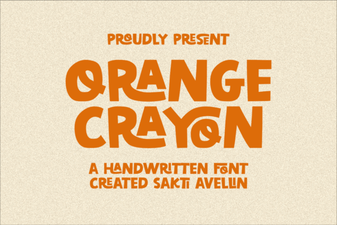 Orange Crayon Font: Creative Handwriting Ideas
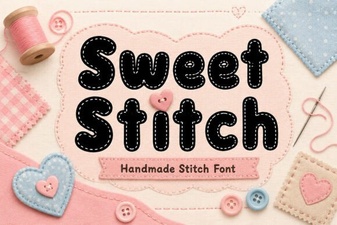 Sweet Stitch Font: Creative Text & Design Projects