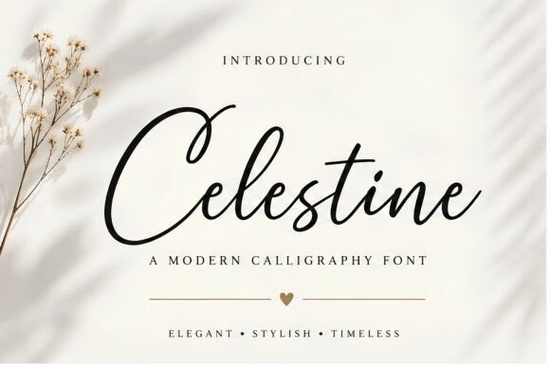
If you’ve been searching for a script font that feels both luxurious and effortlessly readable, Celestine Font might be exactly what your next project needs. It’s not the kind of font that shouts for attention instead, it draws people in with soft curves, flowing strokes, and a signature-style elegance that works beautifully for everything from wedding stationery to boutique packaging. Whether you’re designing invitations, branding a small business, or creating social media graphics, Celestine adds a touch of quiet sophistication without sacrificing clarity.
What makes Celestine different from other script fonts?
Many calligraphy fonts lean heavily into ornate swirls or exaggerated flourishes, which can look stunning but often become hard to read at smaller sizes. Celestine strikes a thoughtful balance. The letters connect naturally, like handwriting done with care, but each character remains distinct enough to stay legible even in body text or layered designs. You’ll find this especially helpful if you’re working on projects where both beauty and function matter, like product labels or editorial layouts.
It pairs well with clean sans-serifs or minimalist serif fonts, making it flexible for modern branding. If you’ve used fonts like Brittney Signature or Alexia Bright, you’ll notice Celestine sits comfortably between those styles more polished than casual scripts, but less formal than something like Royal Wedding.
Where does Celestine work best?
- Wedding Invitations & Stationery Its graceful flow complements romantic themes without feeling cliché.
- Logo Design Especially for boutiques, salons, or lifestyle brands that want to feel personal and refined.
- Social Media Graphics Use it for quotes, announcements, or story highlights where you want to stand out softly.
- Packaging & Labels Think candles, skincare, artisanal food anything that benefits from a handcrafted, premium feel.
- Editorial Headlines Magazine spreads, blog feature titles, or book covers where you need elegance with impact.
One thing to note: while Celestine is versatile, it’s not meant to replace your everyday workhorse font. Save it for moments when you want to add personality a headline, a logo lockup, or an accent word. For longer paragraphs, pair it with something neutral. If you’re unsure how to combine script fonts effectively, take a look at our guide on choosing the perfect signature font it walks through pairing principles that apply here too.
Is Celestine beginner-friendly?
Absolutely. Even if you’re new to typography, Celestine doesn’t require advanced styling knowledge to look good. Install it, open your design software, and start typing the natural spacing and letterforms do most of the work for you. That said, if you want to push it further, try adjusting tracking slightly for tighter headlines or enabling ligatures (if your software supports them) for smoother connections between certain letter pairs.
For crafters using Cricut or Silhouette machines, the font cuts cleanly without unexpected breaks always a plus when you’re working with vinyl or heat transfer. Print-on-demand sellers will appreciate how well it scales; whether you’re printing on a mug or a poster, the strokes hold up without pixelation or distortion.
How does it compare to similar fonts?
If you’ve browsed Creative Fabrica’s script collection, you’ve probably seen options like Royal Wedding which leans more traditional or Brittney Signature, which has a looser, handwritten vibe. Celestine sits right in the sweet spot: structured enough to feel professional, fluid enough to feel human. It’s also more consistent across weights and styles than some free alternatives you might find elsewhere.
For deeper comparisons, check out our breakdown of Alexia Bright versus Celestine they share a similar mood but differ in stroke weight and terminal shapes, which can affect how they feel in context.
Quick tip before you download:
Before committing, test Celestine with your actual content. Type out your brand name, a sample headline, or a short phrase you plan to use. See how the ascenders and descenders interact sometimes a single letter combo can make or break a font choice. If you’re happy with how it reads at different sizes, you’re good to go.
And if you’re still exploring options, don’t miss our curated list of script fonts like Celestine it includes alternatives sorted by style, so you can find something close if this one isn’t quite right.
Next step: Try it in context
- Download the font and install it locally.
- Open your favorite design tool and type a real phrase from your project.
- Adjust size, color, and spacing see how it behaves.
- If it feels right, build around it. If not, you haven’t wasted time you’ve just ruled out one option.
Fonts like Celestine aren’t about trends they’re about tone. When you choose it, you’re choosing warmth, polish, and intention. That’s worth testing properly.
Get Started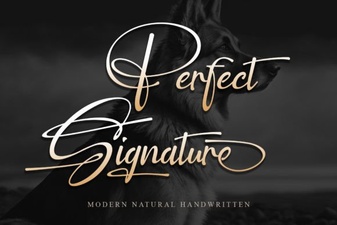 The Best Fonts for a Signature & How to Use Them
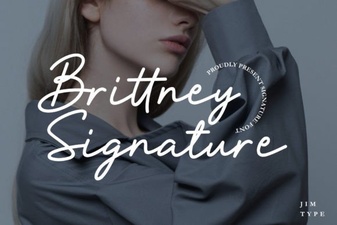 Brittney Signature Fonts for Modern Design Projects
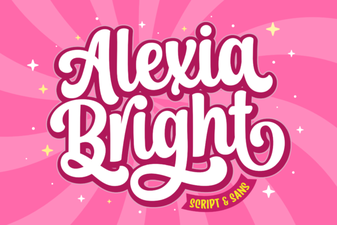 Alexia Bright: Tips for Unique Designs
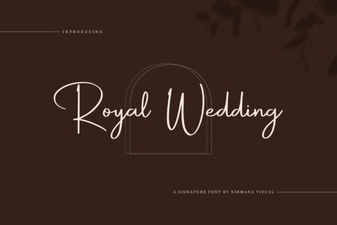 Choosing a Royal Wedding Font for Your Project
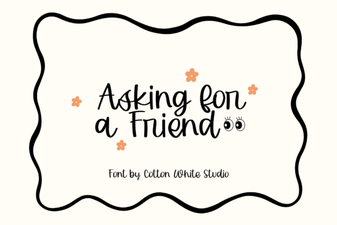 Asking for a Friend Font: Design & Download Guide
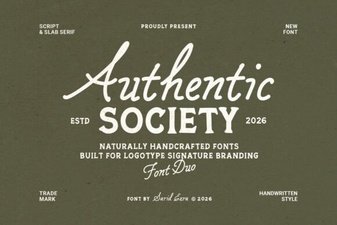 Authentic Society Font for Your Creative Projects