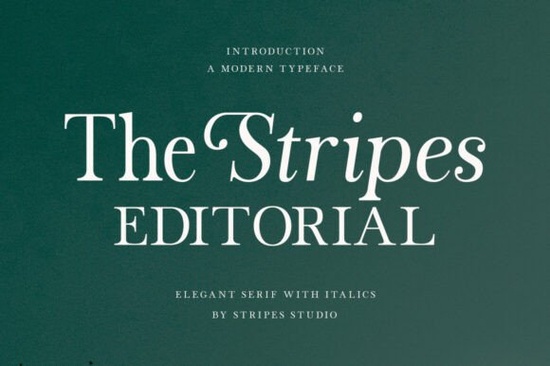
If you’re looking for a serif font that feels both classic and fresh, The Stripes Editorial Font might be exactly what your next project needs. It’s not flashy or overly trendy instead, it offers four distinct styles that give you room to play with tone and texture without losing readability or elegance. Whether you’re designing book layouts, branding materials, or print-on-demand products, this typeface adapts well across mediums.
What makes it especially useful is how each style serves a different purpose. The Regular cut is clean and steady great for body text where you need something that won’t distract but still holds its own. If you’ve ever worked with fonts like Standard Typewriter or Loving Ambros, you’ll appreciate how The Stripes Editorial Font balances personality with practicality.
How do the four styles actually differ in use?
Let’s break them down simply:
- Regular Your go-to for paragraphs, captions, or editorial layouts. It’s neutral enough to recede when needed but detailed enough to feel intentional.
- Italic Not just a slanted version of Regular. This one has more curve and character, making it perfect for quotes, pullouts, or anything that needs a softer, more expressive voice.
- Scale Italic This is where things get interesting. It’s not your average italic the proportions shift slightly, giving it an artistic rhythm. Think of it as the font equivalent of handwritten emphasis with control.
- Slant Clean, geometric, and modern. It adds motion without drama. Great for subheadings or minimalist branding where you want subtle energy.
You don’t need to use all four at once. Sometimes just pairing Regular with Slant gives enough contrast to create hierarchy without clutter. Designers who’ve used Sage Averal or Kind Avenue will recognize that thoughtful variation matters more than quantity.
Is this font good for small businesses or craft projects?
Absolutely. The subtle serifs and balanced letterforms make it professional enough for logos, packaging, or business cards, but it doesn’t feel corporate or stiff. That’s a rare sweet spot.
If you run a small shop selling journals, greeting cards, or apparel, you can use the Italic or Scale Italic styles to add a personal, handcrafted vibe. For digital creators, the Slant style works beautifully in social media graphics or website headers it catches the eye without shouting.
One thing to note: because of its refined contrast, it performs best at medium to large sizes. Don’t push it too small in low-res environments unless you’re okay with losing some of its charm. That said, in print? It shines. Especially on textured paper or matte finishes.
What kind of projects does it pair well with?
Here are a few real-world uses where this font feels right at home:
- Editorial design Magazines, zines, or lookbooks where readability and visual rhythm matter.
- Branding for lifestyle brands Coffee shops, boutiques, stationery lines anywhere that wants to feel curated, not mass-produced.
- Wedding suites or event invites The Italic and Scale Italic bring warmth; the Regular keeps things grounded.
- Book covers or chapter openers Especially fiction, poetry, or memoirs where tone is everything.
It also layers nicely with sans-serifs if you need contrast. Try pairing it with something clean and neutral let The Stripes Editorial Font carry the emotional weight while the sans-serif handles utility.
Any tips for getting the most out of this font?
Yes don’t treat all four styles as equals. Assign roles. Use Regular for structure, Italic for moments that need feeling, Scale Italic for standout phrases, and Slant for directional cues or modern accents.
Also, pay attention to leading (line spacing). Because of its elegant contrast, tight leading can make it feel cramped. Give it a little breathing room especially in print.
If you’re unsure where to start, download the trial or preview samples in context. See how it looks next to fonts you already love, like those from the Stripes family page or similar serif collections. Sometimes seeing it beside something familiar helps you understand its unique flavor.
Next step: Open your current project file. Pick one headline or paragraph that feels flat. Swap in The Stripes Editorial Font’s Regular or Italic style. Adjust size and spacing slightly. Does it add quiet confidence? If yes, you’ve found your new workhorse.
Try It Free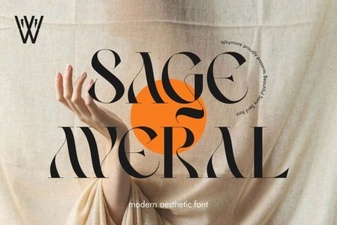 Sage Averal Font: Creative Design Projects
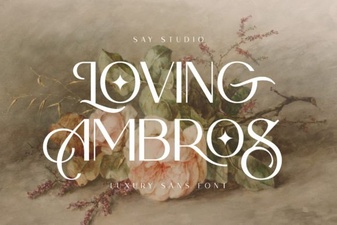 Loving Ambros Font: Creative Typography Projects
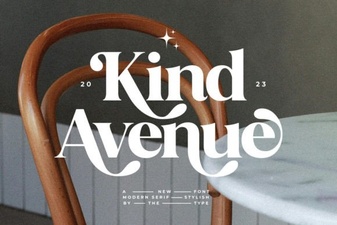 Unlock Creativity with the Kind Avenue Font
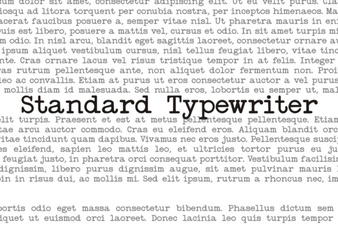 Designing with Classic Typographic Style
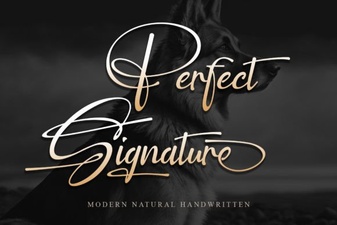 The Best Fonts for a Signature & How to Use Them
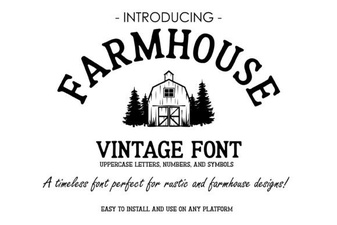 Vintage Farmhouse Fonts for Creative Projects